When people search for your services online, your website is often the first thing they see. Think of it as your digital storefront—it sets the tone for how customers perceive you and your business. And here’s the thing: first impressions matter. Careful thought to how your website is designed can make sure that you leave a good lasting impression.
Research shows that visitors form opinions about your website within seconds. If your site looks outdated, is hard to navigate, or doesn’t clearly communicate your value, they’re going to leave and find another business that does.
The good news is you don’t need to be an expert or hire an expensive agency to get things right. Whether you’re running a small business or a growing brand, you can make simple but powerful changes to your website to help your business thrive.
Here are five tips to get you started.
1. Nail Your Homepage Message
Your homepage is the most important page on your site. Think of it like the front door to your business—if it’s not inviting, or if people don’t immediately understand what you do, they’re not going to stick around. Within 5 seconds of landing on your site, visitors should understand:
- What you do.
- Who you serve.
- Why you’re different.
Your headline should be clear, specific, and focused on the customer’s needs and how you solve the problems they have. Take for example the following two headlines for a business that offers landscaping services:
- “Welcome to Joe’s Services.”
- “Top-Rated Landscaping Services in Rhode Island | Free Estimates Available!”
If you’re looking for a new landscaper, which of these two headlines will resonate with you? Rather than simply stating the name of your business, let your visitors know how you can help them. In fact, your home page message should be more about them and less about you. This assures them that they’re in the right place and should stick around.
A strong homepage message builds confidence and keeps visitors from bouncing to your competitors. Once they know that you understand what they need and the pain points they are dealing with, they’ll be more interested in knowing how you can help them solve those problems.
2. Simplify Your Navigation
Nobody wants to waste time trying to figure out how to navigate your website. A confusing menu or disorganized layout is like a roadblock for your visitors. You don’t want people to feel lost—especially when they’re on the hunt for services you offer.
Stick to around 5-7 main menu items. In fact, I personally prefer 3 or 4 menu items at the top. If your website needs more pages, link them down below in the footer. This prevents your visitors from becoming overwhelmed with options when they first land on your page.
Also, make sure that your menu items are clearly labeled (e.g. “Services”, “About”, or “Contact Us”). Avoid fancy or vague terms like “Solutions” or “Explore,” as they leave visitors guessing. Instead, think about what your customers are searching for and make it easy for them to find.
A cluttered website with too many menu options can overwhelm your visitors and lead them to click away. Simple navigation helps keep the focus on what you want them to do: learn more about your services, trust your expertise, and take action.
3. Use Local Keywords to Attract Customers
If you want your website to show up when potential customers are searching for services near them, local SEO is key. When customers search for services, they’re often including their location in the search query.
By optimizing your website with local keywords, you’re telling Google exactly where you are and what you offer. For example, if your business serves Rhode Island, make sure your website says so! Include keywords like “web design in Rhode Island” or “landscaping in Providence” naturally throughout your site.
So where should you add location-based keywords? Be sure to add them in meta titles and descriptions. These are what appear in Google’s search results. You can also include them on your homepage to immediately let visitors know the areas you serve. It’s also important to add them to your services page for every service you offer. Even better than that would be to have a separate page for each service. That will make your site more searchable on Google for each individual service.
Not only should you list the areas you service on your website, but create content that discusses local topics. This not only helps with SEO but it also engages local customers by showing them you understand the community and their needs.
💡 Pro Tip: Tools like Google Keyword Planner can help you identify the phrases your potential customers are searching for. Incorporate these into your site’s content to increase your chances of ranking higher in local search results.
4. Add a Strong Call-to-Action (CTA)
A great website doesn’t just inform visitors—it motivates them to take action. What’s the most important thing you want visitors to do when they land on your site? Do you want them to call you, book a consultation, or request a quote? Your call-to-action (CTA) should make this as easy and clear as possible. At every step of the customer journey, calls-to-action should clearly let your visitors know what to do next.
Effective CTAs are clear and actionable. Make sure to position them in high-visibility areas, like the top of the page and at the end of content. Make the buttons or sections stand out with bold colors. The most compelling calls-to-action focus on the customer’s needs and the value they will get from your content or services.
Examples of strong CTAs:
- “Book Your Free Estimate Now!”
- “Call Today for a Free Consultation.”
- “Get 10% Off Your First Service—Contact Us Now!”
Make sure your CTA buttons stand out visually, either with a bold color or contrasting text. And don’t just use one CTA—repeat it in strategic spots throughout the page to guide your visitors toward taking the next step. Place your CTA prominently—above the fold on your homepage, at the end of service pages, and even on your About page. Repetition reinforces action.
5. Make Your Website Mobile-Friendly
Most people today browse websites on their phones. If your website isn’t mobile-friendly, you’re missing out on a huge portion of your audience. With more than half of all web traffic coming from mobile devices, having a mobile-friendly site is not optional. If your site doesn’t work well on phones and tablets, you’re frustrating potential customers and driving them to seek out your competitors.
Test your site on a mobile device. Are buttons easy to click? Is text readable without zooming in? If not, it’s time for an update. Keep in mind, too, that your website should load quickly on a mobile device. According to Google, 47% of consumers expect a website to load within 2 seconds. Many of them will move on if it takes more than 3 seconds to load. Make sure your website accounts for this and is not losing potential customers.
💡 Pro Tip: Google’s Page Speed Insights tool can tell you if your site meets today’s mobile standards.
Why This Matters for Your Rhode Island Business
Improving your website doesn’t have to be overwhelming. Just make small, incremental changes that can make a large impact over time. A clean, easy-to-navigate website that speaks to your target audience’s needs helps you build trust, keep visitors engaged, and ultimately generate more leads.
You don’t have to be a web design expert to make these changes. With tools like ChatGPT, you can start making small but effective improvements to your site, and if you need help, we’re here to guide you every step of the way.
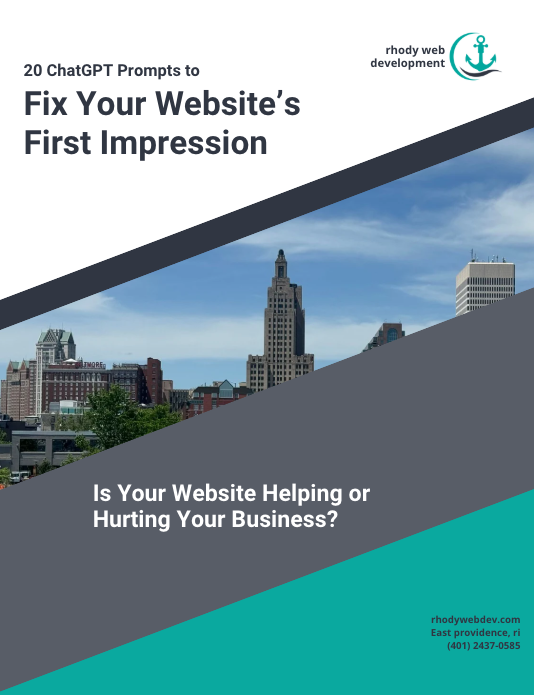
If you’re ready to dive deeper and start optimizing your website for better results, grab our free resource: 20 ChatGPT Prompts to Fix Your Website’s First Impression.
This guide is packed with practical tips to help you refine your website’s messaging, improve navigation, and attract more local customers.
Your website is your hardest-working digital tool—it’s not just a placeholder but a key factor in attracting customers, building trust, and generating leads. The tips in this guide will help you create a site that not only looks great but also helps grow your business.
Sign up below to request your free copy.